Open source · Local-first · Privacy-focused

The open-source, local-first alternative to NotebookLM

Drop in your PDFs, images, audio, video, URLs, or YouTube links — Memorwise chunks and embeds everything on your machine, then lets you chat with your documents using whichever LLM you prefer.

Next.js 15React 19TypeScriptTailwind v4SQLiteLanceDB
Simple workflow

How it works

Three steps from documents to insights. All processing happens on your machine.

01

Add your sources

Drop in PDFs, paste URLs, add YouTube videos, upload images or audio. 20+ formats supported.

02

AI processes everything

Your chosen LLM embeds content into vectors, extracts concepts for the knowledge graph, and indexes everything.

03

Chat & study

Ask questions and get cited answers. Generate flashcards, quizzes, study guides, and audio overviews.

Features

Everything you need to learn from documents

Chat, study, graph, listen. All powered by AI, all running locally on your machine.

Chat with Documents

RAG-powered Q&A with source citations. Ask questions, get answers grounded in your actual content.

Knowledge Graph

AI-extracted concepts with visual connections. See how ideas link across all your sources.

Flashcards & Quizzes

Auto-generated study tools from your documents. Flashcards with 3D flip, quizzes with scoring.

Audio Overview

Podcast-style multi-speaker audio from your documents. Powered by Kokoro local TTS or OpenAI.

Notes & Backlinks

Markdown editor with templates and backlinks. Organize thoughts alongside your sources.

Semantic Search

Vector-powered search across all your notebooks. Find what you need by meaning, not keywords.

Supports:PDFDOCXXLSXImages (OCR)AudioVideoURLsYouTube
RAG-powered chat

Ask questions, get cited answers

Chat naturally with your documents. Every answer includes source citations so you can verify and dig deeper.
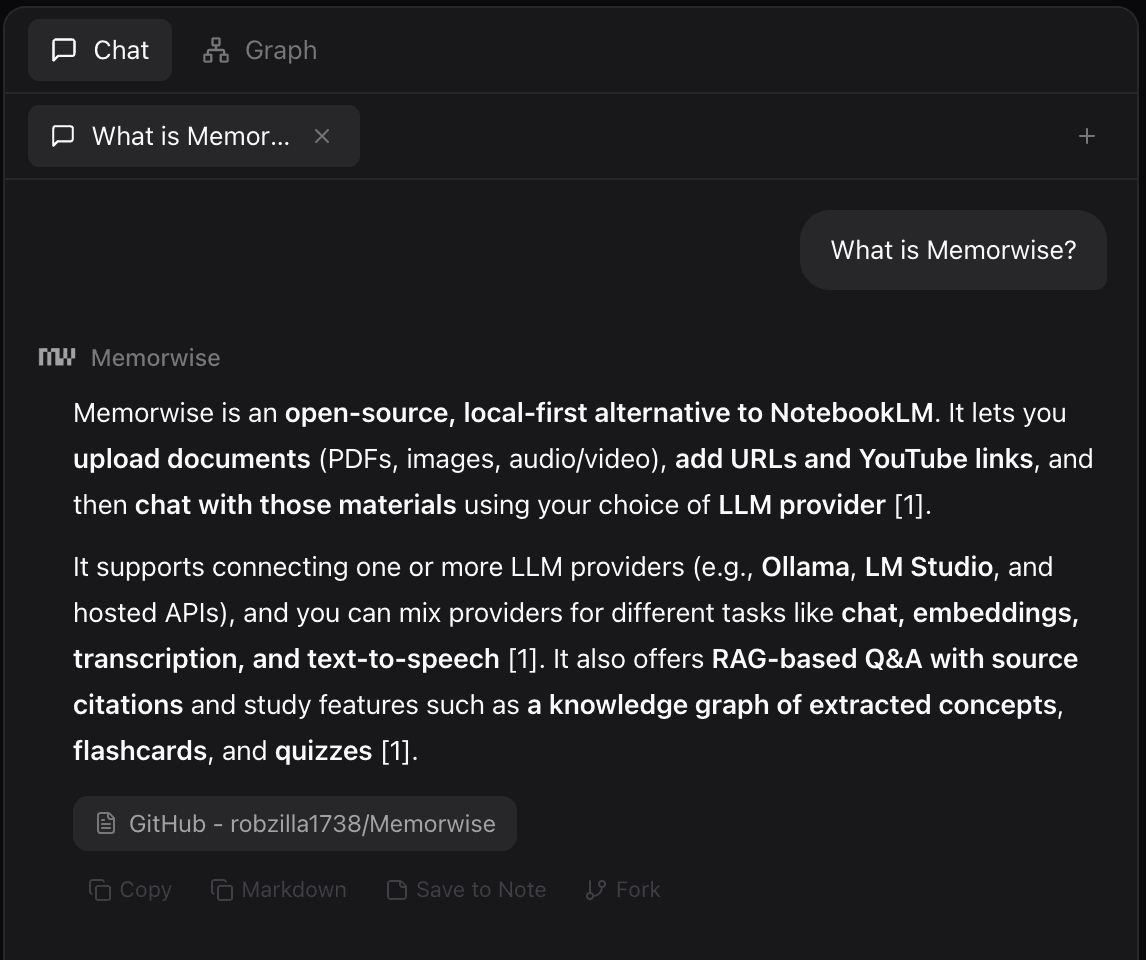
Memorwise RAG chat showing cited answers
Knowledge graph

See how ideas connect

AI extracts concepts and maps relationships across your sources. Discover connections you would have missed.
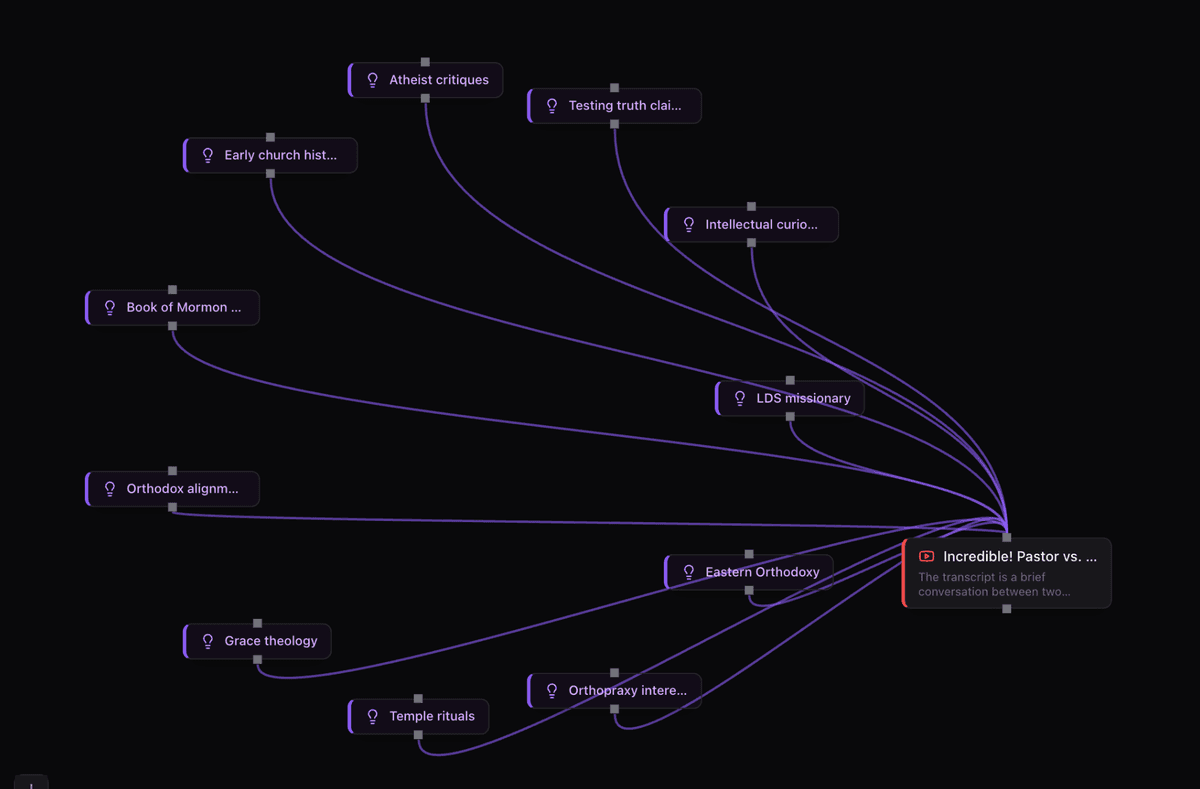
Memorwise knowledge graph showing connected concepts
8 providers

Use any LLM you want

Run completely free with local models, or connect to cloud providers. Mix and match different models for different tasks.

Ollama
Ollama
OpenAI
OpenAI
Anthropic
Anthropic
Gemini
Gemini
Groq
Groq
Mistral
Mistral
OpenRouter
OpenRouter
LM Studio
LM Studio
Chat
GPT-5.4, Claude, Llama 3.1
Embeddings
Ollama nomic-embed-text
Transcription
OpenAI Whisper, Groq Whisper
TTS
OpenAI voices, Kokoro (local)

Why local-first?

Your documents stay on your machine. No cloud uploads, no accounts, no subscriptions.

Complete Privacy

All data in a local SQLite database and LanceDB vector store. Nothing leaves your machine unless you choose a cloud LLM.

No Subscription

Run 100% free with Ollama or LM Studio. No monthly fees, no usage limits, no API costs with local models.

Full Control

Choose your own models, swap providers per task, export everything. Your data is just files you can back up or move.

2-minute setup

One command to get started

Run a single command to clone, install, and launch. Then configure at least one LLM provider in settings and you're ready to go.

Node.js 18+ and git required
Works on macOS, Linux, and Windows
Optional: Ollama or LM Studio for free local models
Optional: ffmpeg for video transcription
Quickstart
# One command — clones, installs, and starts
npx memorwise
Manual install
git clone https://github.com/robzilla1738/Memorwise.git
cd Memorwise
npm install
npm run dev
1.Open http://localhost:3000
2.Settings → connect an LLM provider
3.Create a notebook and start chatting
MCP Server · 35 tools

Works with your AI tools

Connect to Claude Code, Cursor, or any MCP-compatible assistant to interact with your notebooks from your editor.

Notebooks
Sources
Chat (RAG)
Notes
Flashcards
Quizzes
Knowledge Graph
Export
settings.json
{
  "mcpServers": {
    "memorwise": {
      "command": "node",
      "args": ["./mcp-server.js"]
    }
  }
}
Local storage

Your data, your machine

Everything lives in a single directory. Back it up, move it, delete it. You own every byte.

Data directory
.openlm/
├── openlm.db        — SQLite database
├── lancedb/         — Vector embeddings
├── sources/         — Uploaded files
└── whisper-models/  — Local Whisper models
Custom data location
MEMORWISE_DATA_DIR=/path/to/data npm run dev
Memorwise

Start chatting with your documents

Open source, local-first, and free. Clone the repo and be up and running in 2 minutes.